
Navigation
- FAQ Home
- All categories
- Email

- SiteWizard Editor
- Ecommerce
- Domains
- Legacy Support
- SEO
- Useful Contact Details
- Miscellaneous
- Instant Response
- Sitemap
Search
SiteWizard Editor » Sitewizard Guide
ID #1143
Adding HTML into the menu editor
Please make sure you have read the following articles on using the menu editor before trying this;
Menu Editor
Adding An Existing Page To The Menu
Manually Inserting An Item On The Menu - Coming Soon
Changing The Position Of An Item On The Menu
Adding and Removing sub-levels to your menu
Modifying An Item In The Menu - Coming Soon
Deleting An Item In The Menu
Example
What you can achive by adding extra HTML tags into the menu editor
| Before | After |
|---|---|
 |
 |
Step 1
Log into the SiteWizard CMS and click on the menu editor 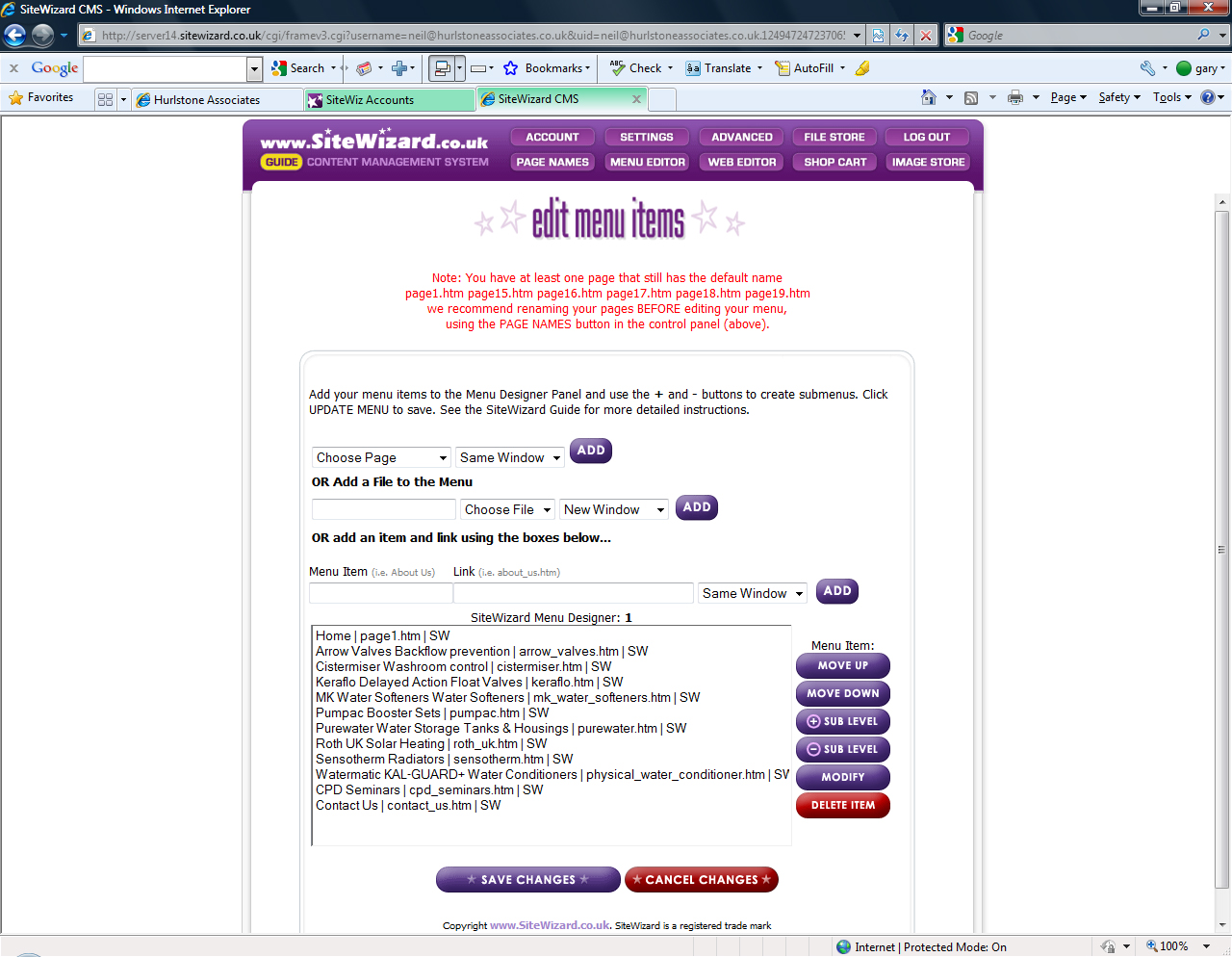
Step 2
Add the new page to the menu by clicking on the Choose Page (above) and select the page you want to add (in this case we are adding Demo to the menu).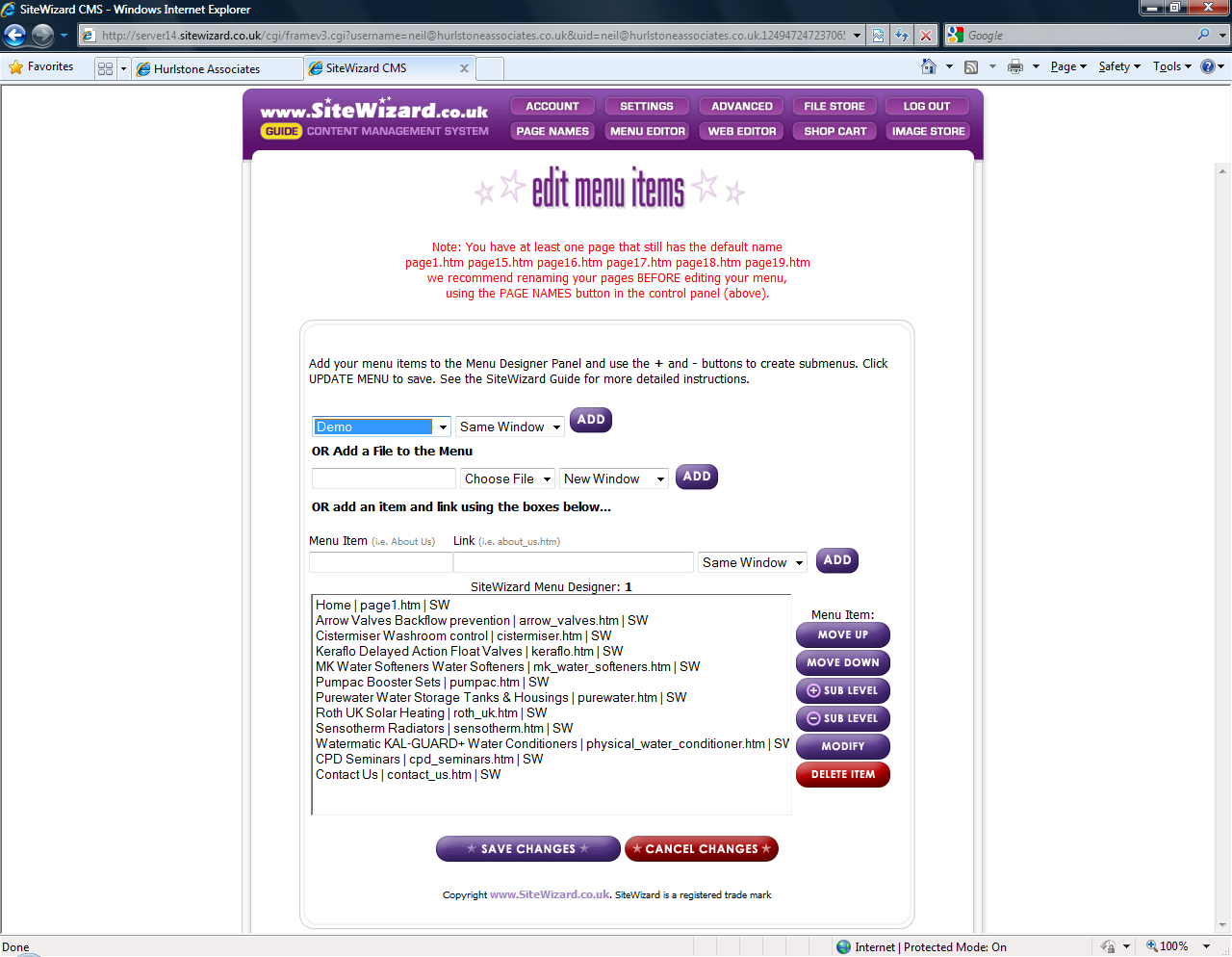
Step 3
Click on the Add button and this will add the page to the bottom of the menu list.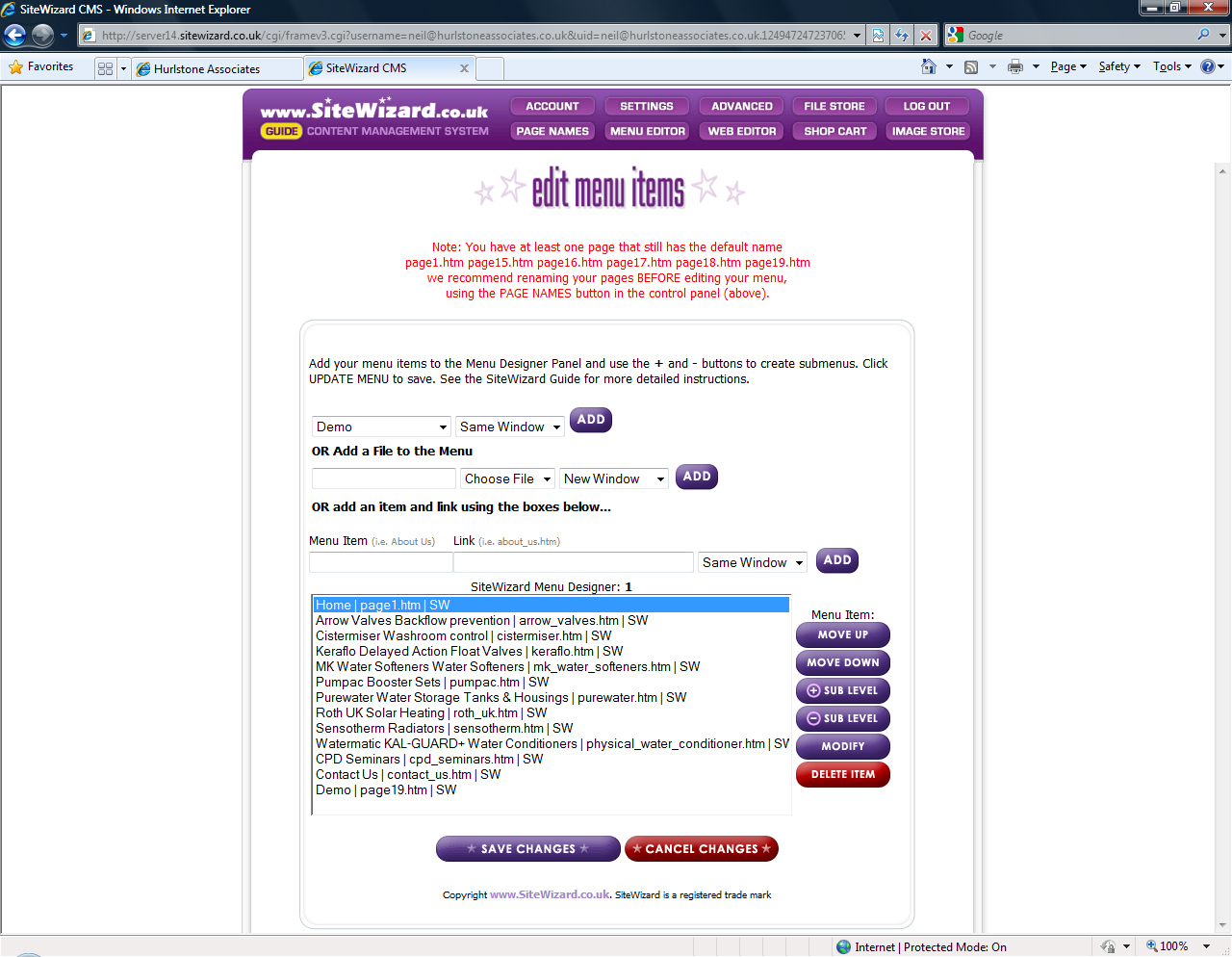
Step 4
Click on the page that you just added to the menu list (in this case we will select Demo) and then click on the Modify button (Please note you may have to allow scripts if your web browser is blocking them).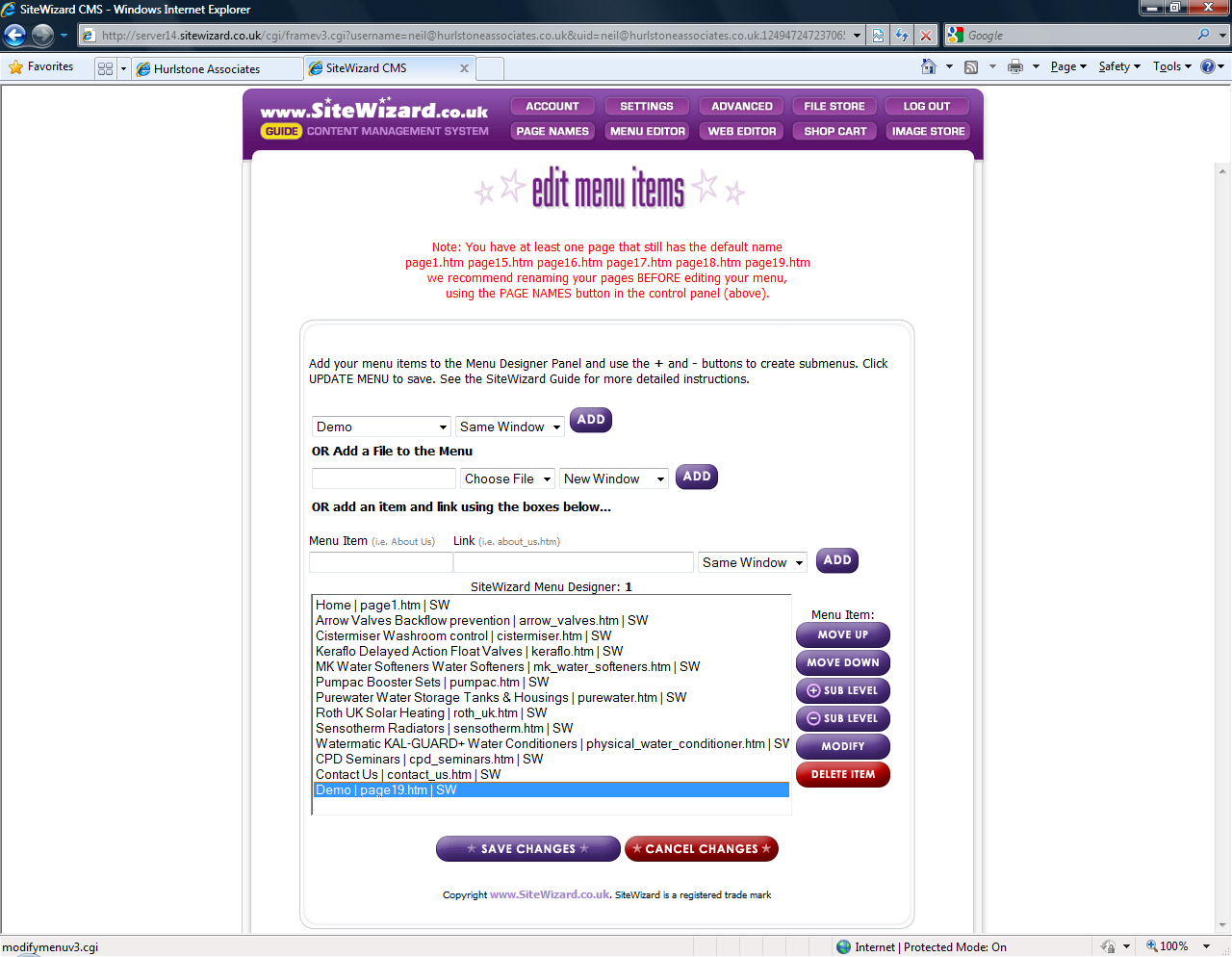
Step 5
This is the prompt script you should get when you click on the modify button.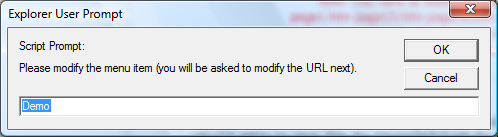
You will need to type in the following <br /> <span> “the text that you want to be underneath the title” </span>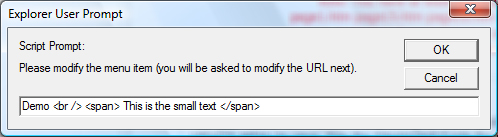
Click on OK
Step 6
Do not modify the text in this one and click OK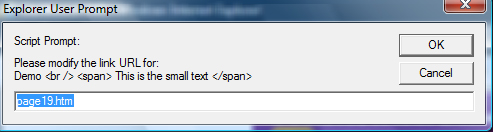
Step 7
Do not modify the text in this one and click OK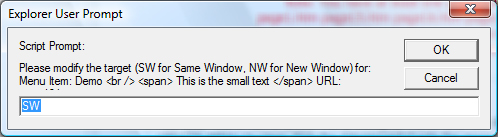
Step 8
Click OK on this one to make save the changes you just made (If any say NULL click cancel).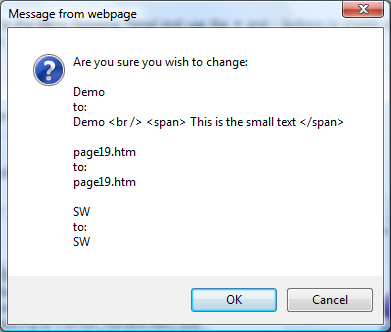
Step 9
Click on the Save Changes button to update the menu.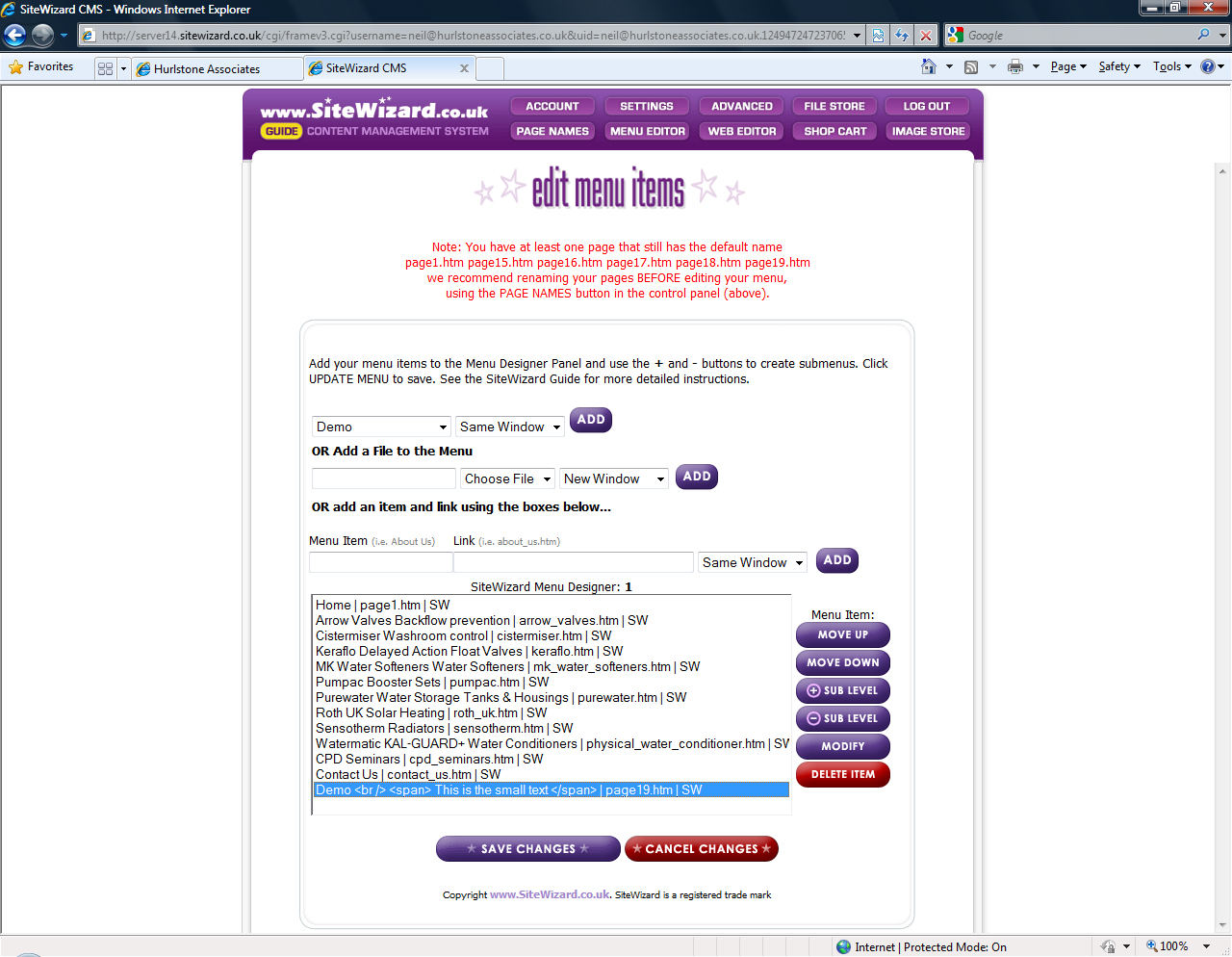
Tags: sitewizard editor, sitewizard editor menu
Related entries:
- How to set up email accounts in Outlook 2000.
- How to set up email accounts in Outlook 2003.
- How to set up email accounts in Eudora
- How to set up email accounts in Incredimail
- How to set up email accounts in Mac Mail
Last update: 2009-08-11 17:12
Author: SiteWizard Support
Revision: 1.1


You cannot comment on this entry
Tags
Hover here for Tags
ecommerce discount coupons email set up in outlook 2010 beta Disable the Google Pop-Up Blocker links outlook site not live emails problems sitewizard editor anchor links outlook 2007 error Adding PayPal Buttons sitewizard editor File Store Disable the Yahoo Pop-Up Blocker bounce backs thunderbird ecommerce common questions Outgoing SMTP Server Limitations Irfanview xml error Legacy SeaMonkey Mozilla Mail SEO setting up emails ecommerce products menu editor Image popup window domains Legacy thunderbird ecommerce window live mac os x IncrediMail mac webmail Norton Safe Web Junk Filter Set Up SpamFilter Set Up outlook 2007 Allow Pop-Ups Within Internet Explorer mac emails emails limitations sitewizard editor Page Names problems receiving email site not showing up account suspended gallery Legacy opera problems sending email ecommerce stock control sitewizard common questions mobiles emails common questions Legacy incredimail
Email :
SiteWizard Editor :
Ecommerce :
Domains :
Advanced Search :
Latest FAQs :
:
Our Terms :
phpMyFAQ
SiteWizard : Lyndean House : 30-34 Albion Place : Maidstone : Kent : ME14 5DZ Tel No.08450 60 88 60 : Fax No.08450 60 88 61
© 1996- www.SiteWizard.co.uk - SiteWizard is a Registered Trademark (Patent Pending)
Company Registration Number 03454062. Registered in England. VAT Number 683830804.
© 1996- www.SiteWizard.co.uk - SiteWizard is a Registered Trademark (Patent Pending)
Company Registration Number 03454062. Registered in England. VAT Number 683830804.