
Navigation
- FAQ Home
- All categories
- SiteWizard Editor

- Ecommerce
- Domains
- Legacy Support
- SEO
- Useful Contact Details
- Miscellaneous
- Instant Response
- Sitemap
Search
Email » Mobiles
ID #1010
How to set up emails on iPhone
Setting Up Emails In Your iPhone
Before you try to setup a new email account in your iPhone ensure you have received your new POP details from the support team at Site Wizard.
If you do not have any details contact SiteWizard support and we can get these sent out to you.
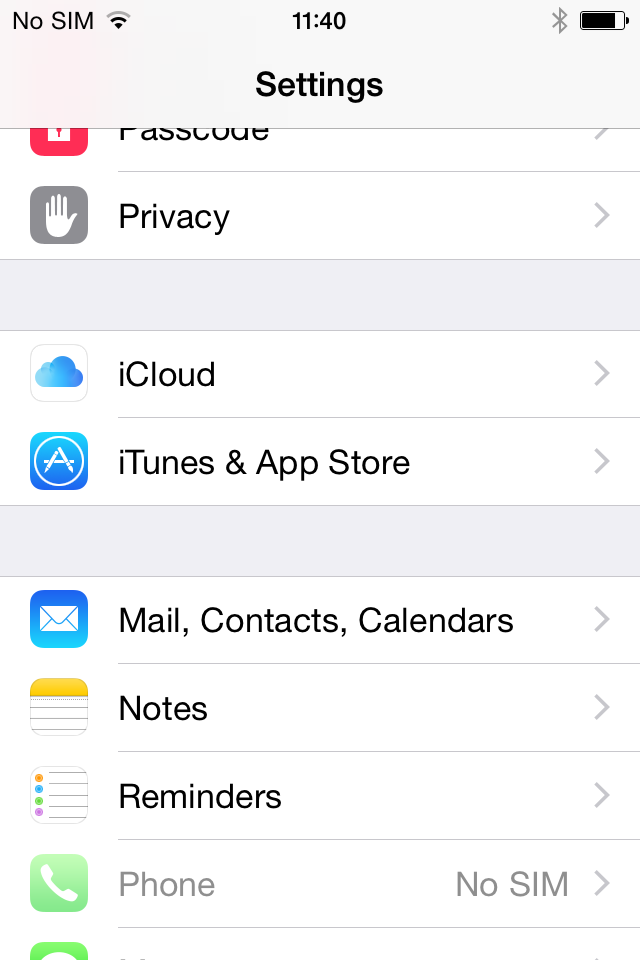
1. Select Settings from the home screen of your iPhone:

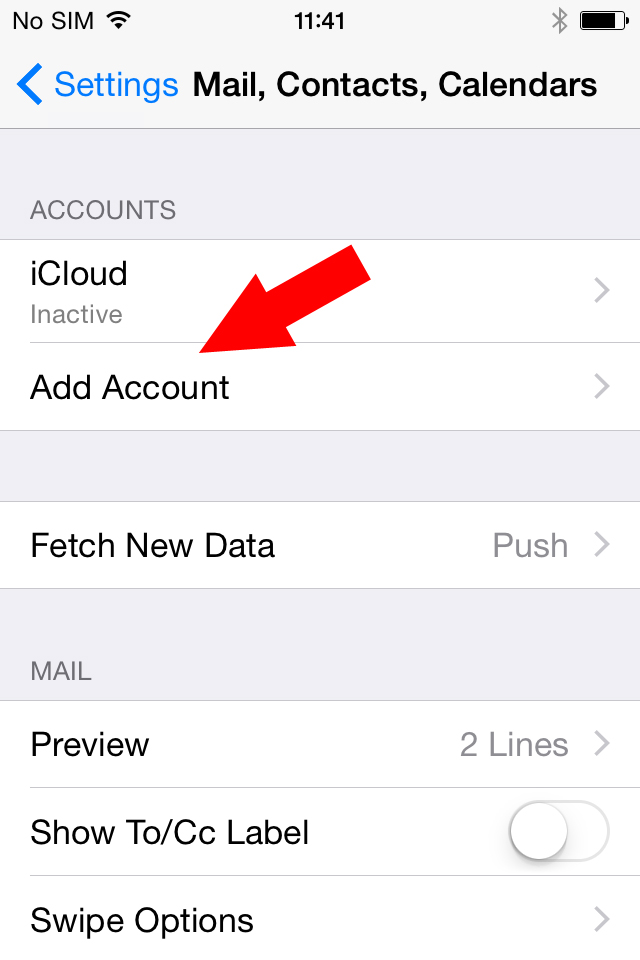
2. Choose Mail, Contacts, Calendars and click Add Account:
3. Choose Other from the list that appears:

4. Select Add Mail Account. In the New Account menu, you will need to specify the following records:
- Name – your name (will appear as sender name)
- Email – your full email address
- Password – the password for this email address
- Description – lets you specify any description (we suggest you use your email address)
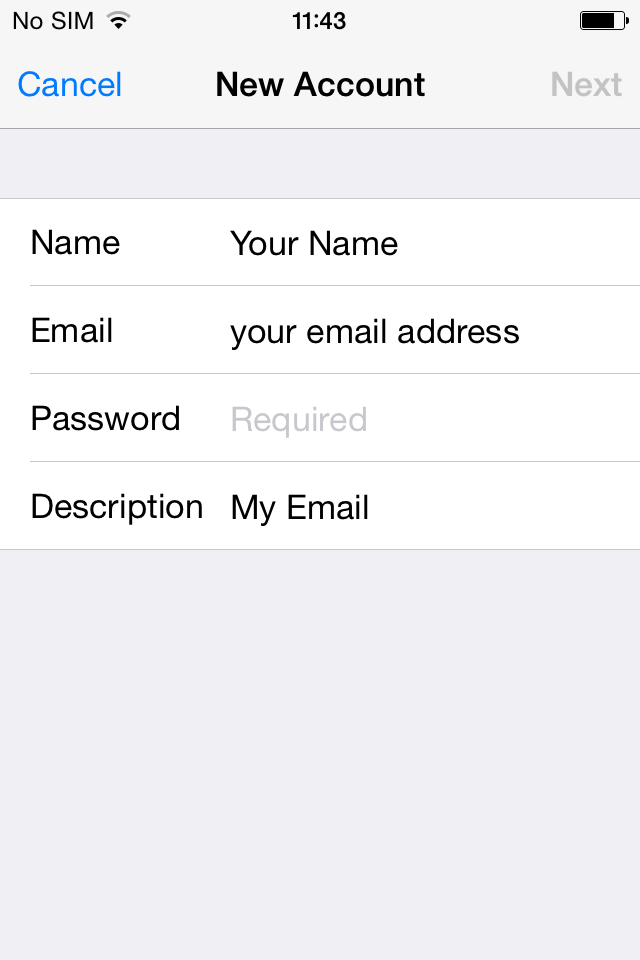
Click Next.
5. Select protocol type: IMAP or POP3. We advise you to use POP3. Your selection will be highlighted blue.
6. Settings are the same for both IMAP and POP3:
- Name, Email and Description: should have been already filled in
- Host name: mail.yourdomain
- User Name: your email address
- Password: password for your email
In the fields for both Incoming Mail Server and Outgoing Mail Server, indicate the following settings:

Click Next.
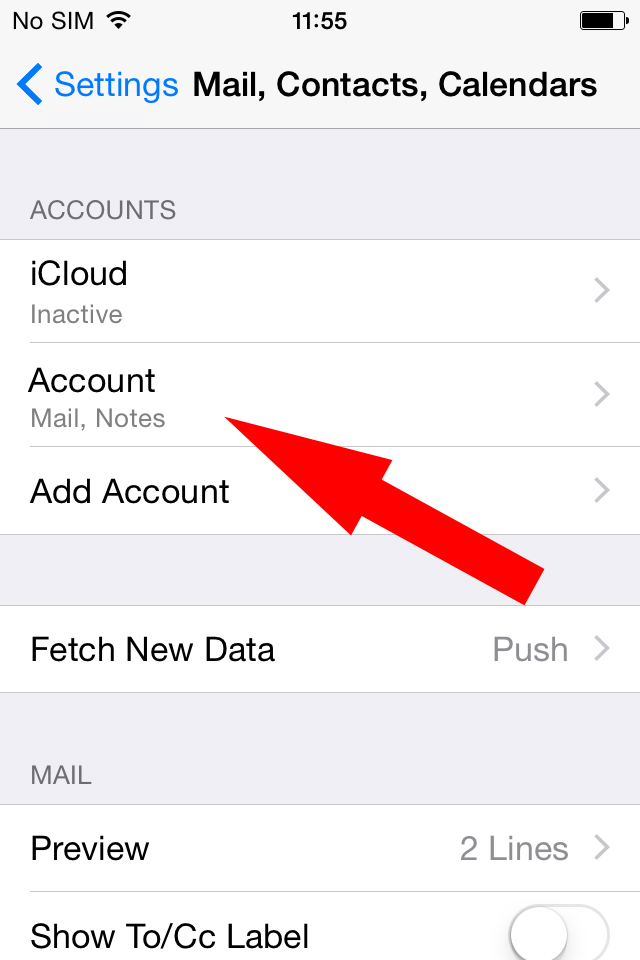
7. When the checks are finished, you'll be redirected to the Mail, Contacts, Calendars screen. Choose your newly created account there:
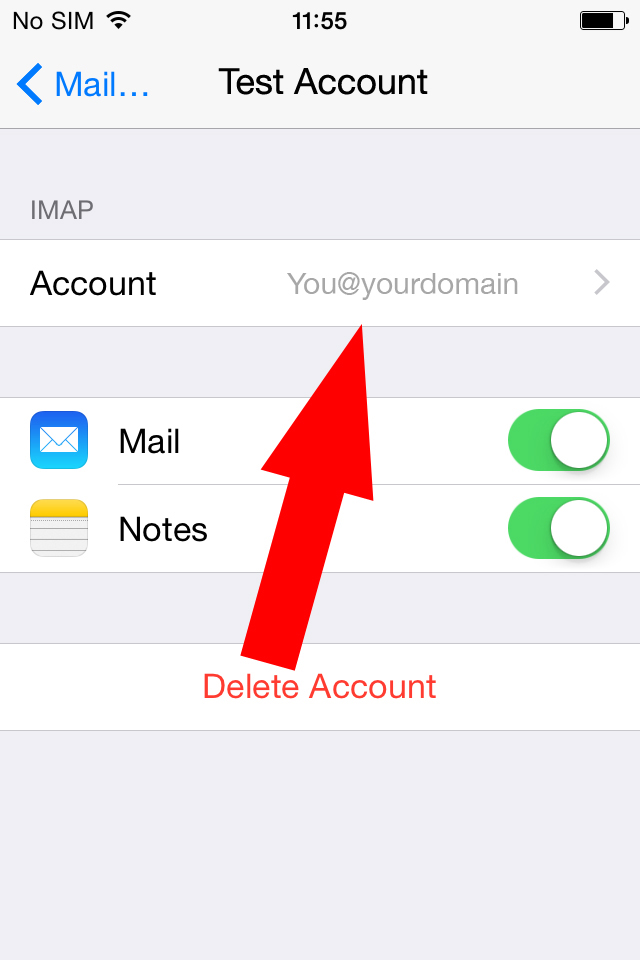
8. Scroll down and select Advanced:

9. Here you can choose additional settings for IMAP or POP3.
If you set IMAP connection, you need to use port 143 (without SSL).
Set IMAP Path Prefix to INBOX:
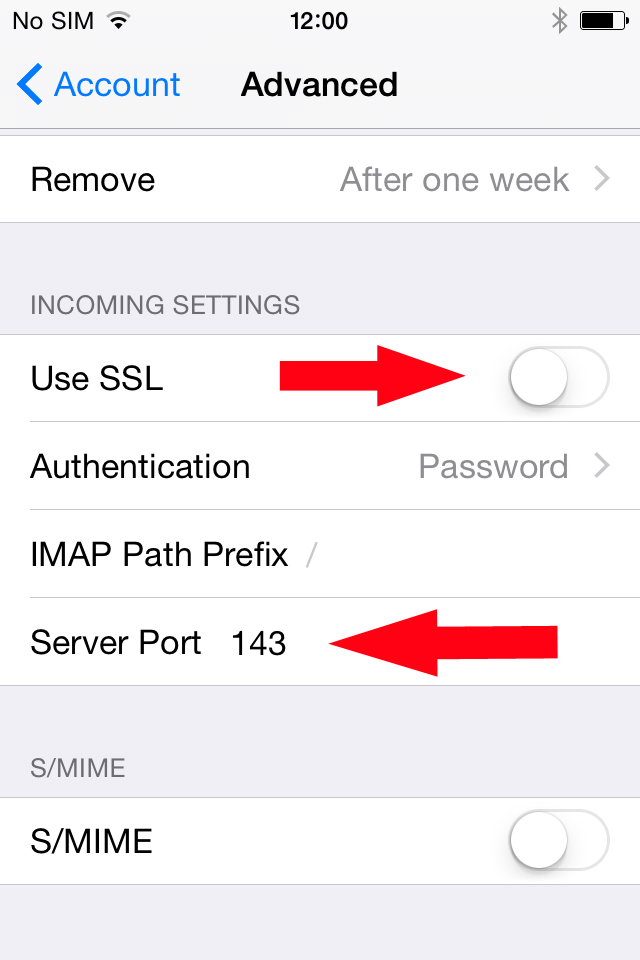
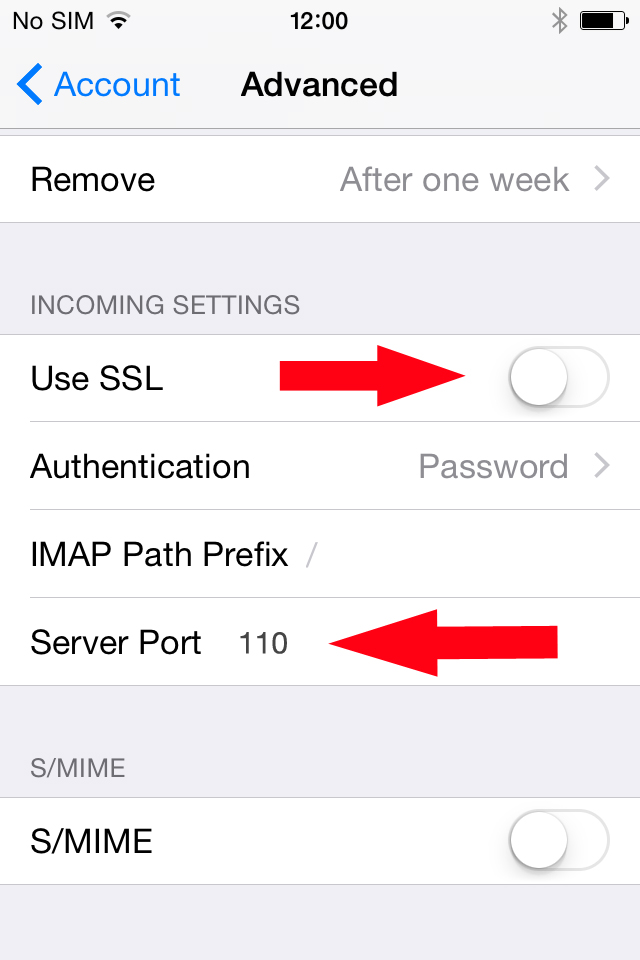
10. If you chose POP3, you need to use port 110 (without SSL):
11. In order to set up additional settings for outgoing server, you will need to return in the previous menu and then go to Outgoing Mail Server by clicking on the host name of the server:
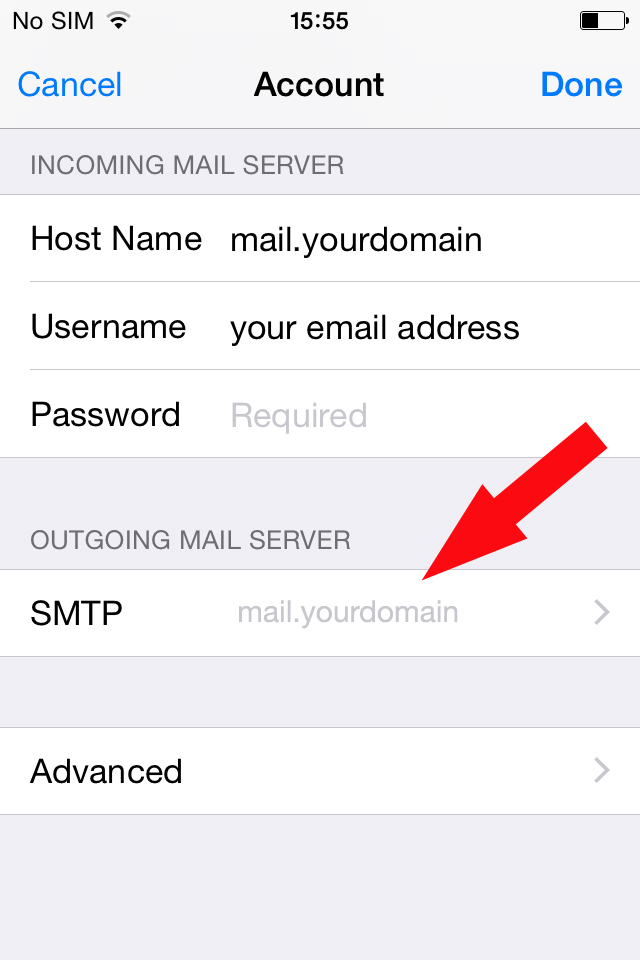
12. For Outgoing Server (SMTP), select port 587 (without SSL):

Once the settings are verified, your account is active and ready to use.
To test your new email account, go to Messages and try sending and receiving emails.
That's it!
Tags: emails, mobiles, setting up emails
Related entries:
- How to set up email accounts in Outlook 2000.
- How to set up email accounts in Outlook 2003.
- How to set up email accounts in Eudora
- How to set up email accounts in Incredimail
- How to set up email accounts in Mac Mail
Last update: 2016-03-01 10:57
Author: SiteWizard Support
Revision: 1.11


You cannot comment on this entry
Tags
Hover here for Tags
ecommerce tools ecommerce discount coupons outlook 2016 ecommerce categories Resizing Images Search Engine Optimisation ecommerce sales and orders ecommerce stock control Outgoing SMTP Server Limitations sitewizard editor site not live sitewizard editor Page Names emails limitations mac mac os x enquiry forms Disable the Google Pop-Up Blocker sitewizard editor Image Store setting up emails ecommerce Legacy incredimail outlook 2003 site not appearing outlook 2007 IncrediMail If this is your account please contact SiteWizard emails emails common questions thunderbird Norton Safe Web mobiles ecommerce affiliate program site not showing up sitewizard editor File Store email control panel Email Accounts In Outlook 2000 email password change mac emails Image popup window links Google Optimisation videos ecommerce payment gateways Common Pop-Up Blockers outlook 2007 error Allow Pop-Ups Within Internet Explorer gallery Irfanview Image resizing Legacy thunderbird
Email :
SiteWizard Editor :
Ecommerce :
Domains :
Advanced Search :
Latest FAQs :
:
Our Terms :
phpMyFAQ
SiteWizard : Lyndean House : 30-34 Albion Place : Maidstone : Kent : ME14 5DZ Tel No.08450 60 88 60 : Fax No.08450 60 88 61
© 1996- www.SiteWizard.co.uk - SiteWizard is a Registered Trademark (Patent Pending)
Company Registration Number 03454062. Registered in England. VAT Number 683830804.
© 1996- www.SiteWizard.co.uk - SiteWizard is a Registered Trademark (Patent Pending)
Company Registration Number 03454062. Registered in England. VAT Number 683830804.